
Short answer
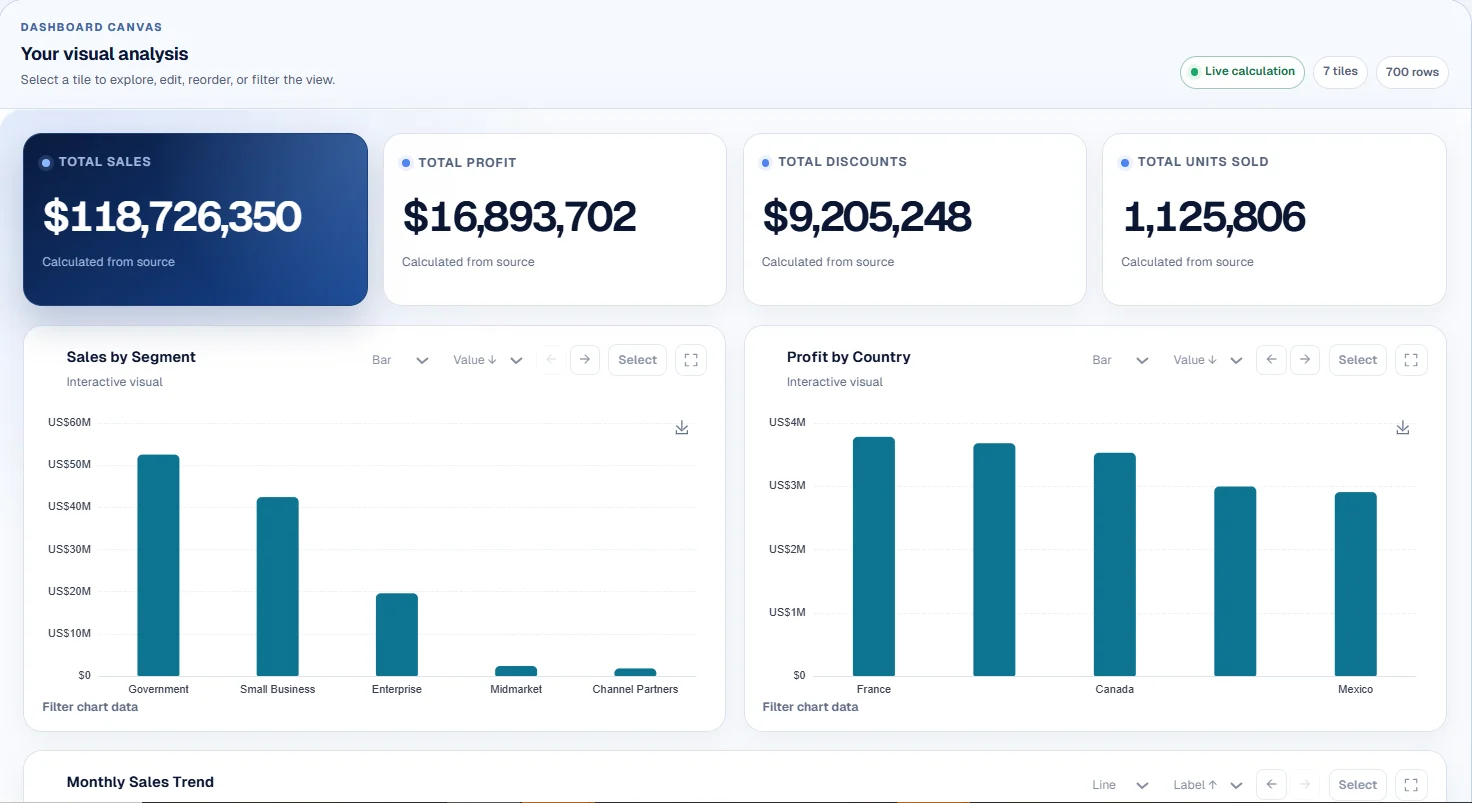
Notion is stronger as a flexible workspace for docs, pages, databases, knowledge and project organization. CTRON Loop is stronger when the outcome is finished work from files: reports, dashboards, analysis, document reviews and repeatable AI workflows.
What CTRON Loop does
CTRON Loop turns documents, spreadsheets, notes and task instructions into reusable workflows. The central product idea is the Loop: build the task once, then run it again with new files.
What Notion does
Notion is a workspace for documents, knowledge, databases and project organization. Official Notion materials describe capabilities across docs, knowledge bases, projects, AI, agents and connected work.
Side-by-side comparison
| Criteria | CTRON Loop | Notion |
|---|---|---|
| Primary purpose | Turn files and instructions into reusable reports, dashboards, analysis and reviews. | Organize docs, knowledge, projects, databases and workspace collaboration. |
| File-based workflows | Strong for uploaded documents and spreadsheets used as task context. | Supported through pages, docs, uploads and connected knowledge inside the workspace. |
| Reusable AI tasks | Strong; save a working process as a Loop and run it with new files. | Supported through AI and workspace workflows, but not the same file-to-output Loop model. |
| Reports and document outputs | Strong for structured reports, summaries, reviews and repeatable outputs. | Strong for writing and organizing docs; output execution depends on workspace setup. |
| Spreadsheet analysis | Supported for CSV/XLSX analysis, KPIs and data preparation. | Databases are strong for structured knowledge; spreadsheet-style analysis is not the main product lane. |
| Dashboard generation | Supported from spreadsheet data. | Not the primary use case. |
| Knowledge grounding | Grounded in selected files and workspace sources. | Strong inside Notion workspace knowledge and connected content, depending on plan and configuration. |
| App integrations | Limited compared with workspace and automation platforms. | Supported through Notion integrations, connections and API options. |
| Trigger-based automation | Limited; designed around repeatable task execution. | Supported through Notion automations and integrations, depending on setup. |
| Bring your own AI key | Supported for OpenAI, Anthropic or Perplexity control. | Not the standard Notion AI model for typical users. |
| Managed AI option | Supported within plan limits. | Notion AI is available as part of Notion's AI product offering. |
| Ease of setup | Strong for users who want to create outputs from existing files quickly. | Strong for teams building a flexible workspace and knowledge system. |
| Best suited for | Finished work from files: reports, dashboards, analysis, reviews and Loops. | Knowledge management, project organization, docs, databases and team workspace structure. |
Where CTRON Loop is stronger
CTRON Loop is stronger for repeatable file-to-output work: AI report generation, dashboard generation from spreadsheets, document workflow automation and repeatable data analysis. It is built around saving the process, not just storing the knowledge.
Where Notion is stronger
Notion is stronger when the priority is a flexible workspace: collaborative docs, pages, databases, knowledge hubs, project systems and long-running team organization. CTRON Loop does not try to replace that whole workspace layer.
Best use cases
Choose CTRON Loop for
- Recurring client reports or operating updates from files.
- Dashboards and analysis from spreadsheet exports.
- Document reviews that need consistent structure.
- Reusable AI workflows from selected source material.
Choose Notion for
- Team docs, project plans and shared knowledge bases.
- Flexible databases and workspace organization.
- Collaborative planning and internal operating systems.
- Keeping knowledge accessible to a team over time.
Can they be used together?
Yes. A team can use Notion to organize knowledge, project notes and working documents, then use CTRON Loop when that material needs to become repeatable finished work. In that setup, Notion is the workspace and CTRON Loop is the repeatable output engine.
Frequently asked questions
Is CTRON Loop a Notion replacement?
No. CTRON Loop is not positioned as a complete Notion replacement. Notion is a flexible workspace for docs, knowledge, projects and databases.
When should I choose Notion?
Choose Notion when you need a flexible place to organize team knowledge, project documents, databases and collaborative workspaces.
When should I choose CTRON Loop?
Choose CTRON Loop when you want files and instructions turned into repeatable reports, dashboards, analysis, document reviews and saved Loops.
Can Notion and CTRON Loop be used together?
Yes. A team can keep knowledge and project notes in Notion, export or collect relevant files, then use CTRON Loop to produce repeatable outputs from that material.
Turn stored knowledge into repeatable work
Start with a real file, create a useful output and save the process as a Loop.
Accuracy notes: Notion positioning was checked against official Notion materials for its workspace, docs, knowledge base, projects, AI and database capabilities. External references: Notion homepage and Notion Help Center.